

How can we help you?
My Beespace
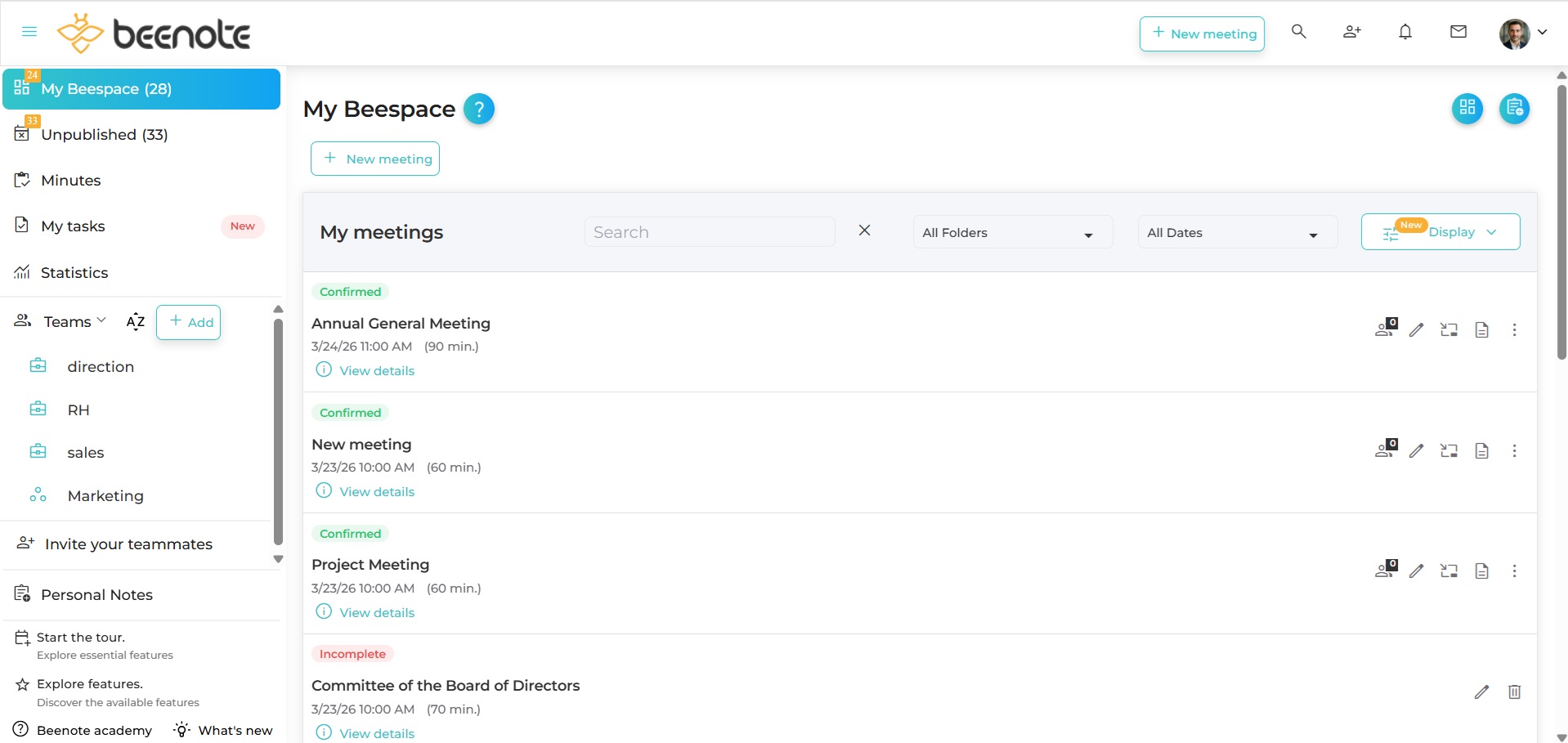
The Beespace is your personal dashboard for managing your meetings. This tool allows you to have a good overview of your governance management.
The functions of Beespace
In fact, the functions found in Dashboard allow you to quickly view meetings, teams and personal notes.
In addition, it is possible to perform quick searches by keywords in meetings or personal notes.
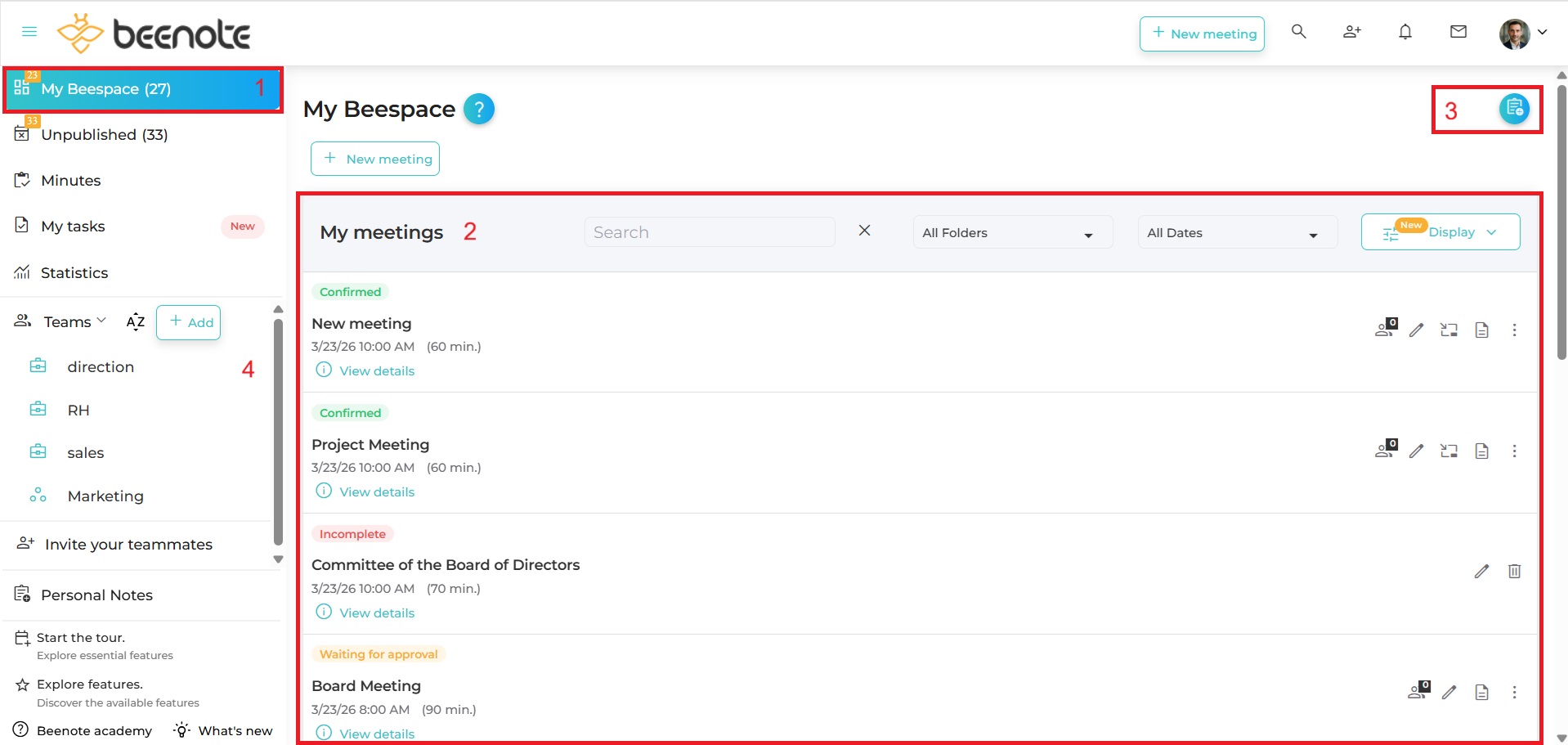
There are several important elements:
(1) The home page of your personal dashboard: Beespace
(2) All upcoming meetings in the next 7 days with a search tools by date and importance
(3) A directory of all your Personal notes (Feature of Beeboard only)
(4) The left navigation menu
Meeting Display
In My Meetings, you can view your meetings in different ways to better organize your work and optimize your meeting management.
The three available display modes are:
- List – for a linear view of all your meetings, grouped by date or status.
- Kanban – to visualize your meetings as cards arranged in columns, based on their status or date.
- Table – for a structured view in rows and columns with filtering and sorting options.
You can switch between views at any time according to your needs. Simply click on the Display button to display the view selection menu in Beespace.
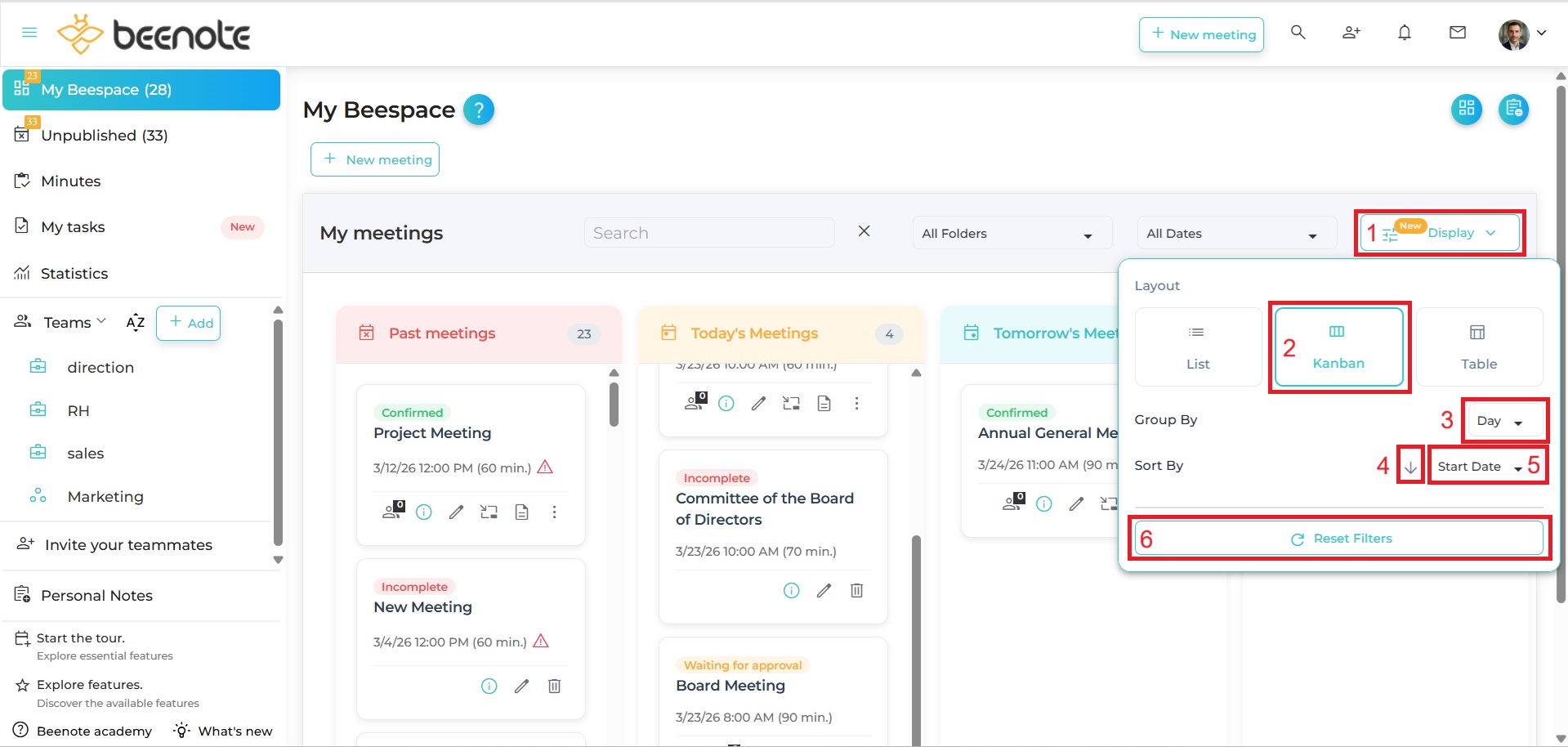
There are several important elements:
(1) Display button: Displays the view selection menu in Beespace.
(2) Desired view: List, Kanban, or Table.
(3) Group by list: Allows you to group meetings by status or day.
(4) Sort order: Ascending or Descending for the sorting list.
(5) Group by list: Allows you to group meetings by status or day.
(6) Reset button: Resets all filters and sorting to their default state.
List View
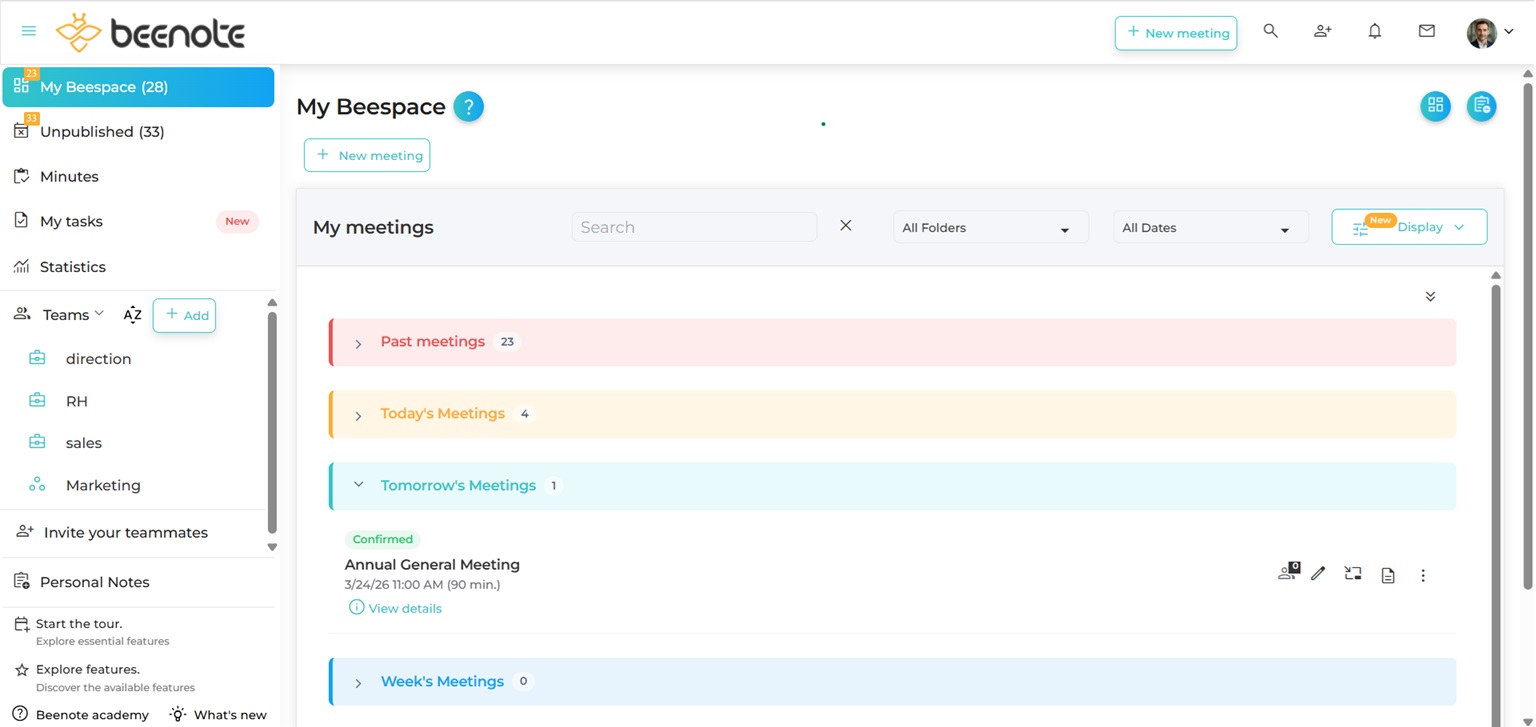
The List view displays all your meetings in a clear and linear format:
Group your meetings by:
- Status: Incomplete, Draft, Pending Approval, Confirmed
- Day: Past meetings, Today, Tomorrow, This week, This month, Later
Sort your meetings by:
- Start date: Ascending or Descending
- Title: Ascending or Descending
Kanban View
The Kanban view displays all your meetings as cards organized into columns, providing a simple and effective visual overview.
Group your meetings by:
- Status: Incomplete, Draft, Pending Approval, Confirmed
- Day: Past meetings, Today, Tomorrow, This week, This month, Later
Sort your meetings by:
- Start date: Ascending or Descending
- Title: Ascending or Descending
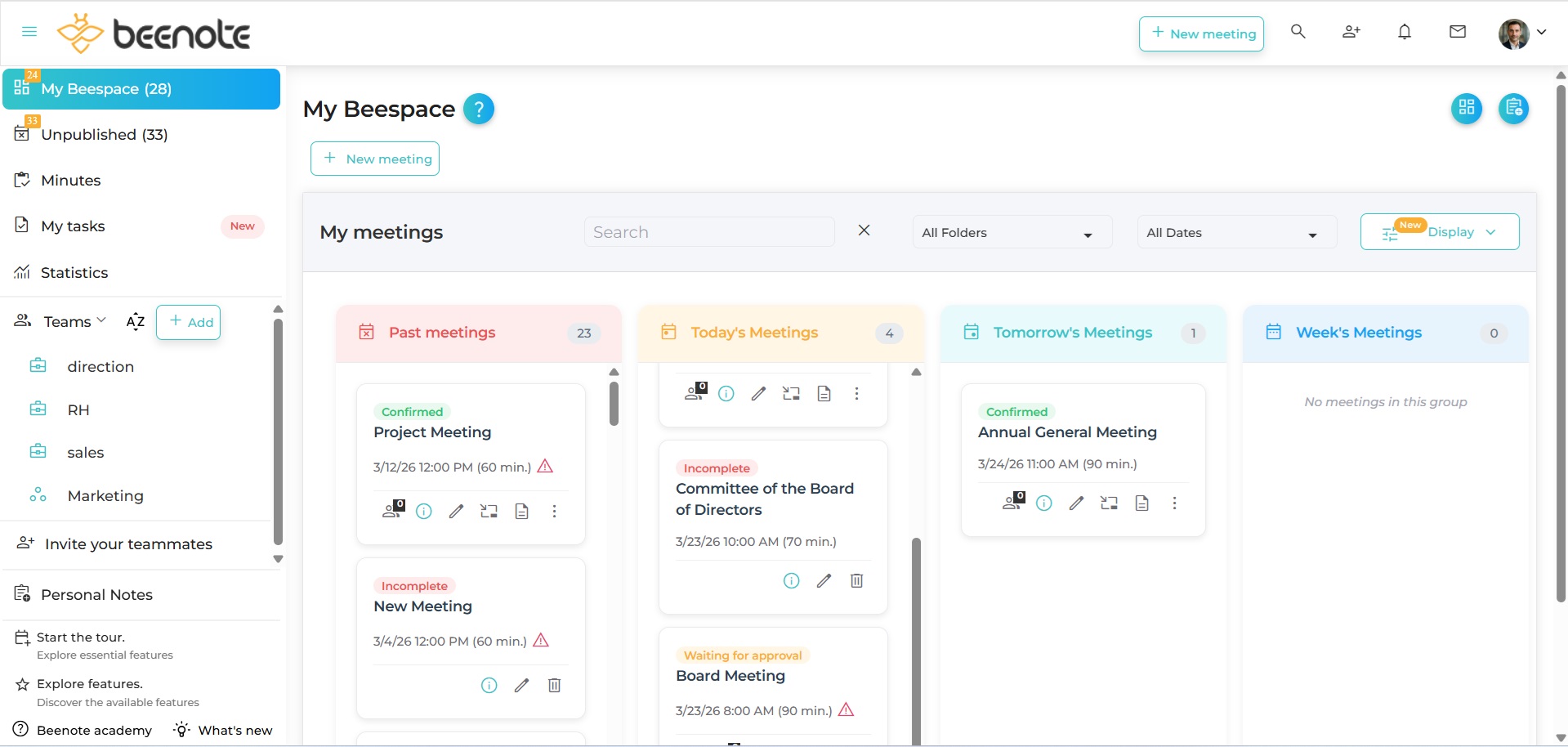
Table View
The Table view displays all your meetings in a structured table format, with clear rows and columns.
Sort your meetings by:
- Start date: Ascending or Descending
- Title: Ascending or Descending
 Next steps
Navigate in Beenote: To understand the Beenote interface
Search: Use our complete search function
Meeting Management: Where to manage your next meeting
Task Management: Where to organize upcoming tasks